Character plugin
tape sway
Tape Sway runs your sound through a tape machine you can play. Wobble, pitch, dirt, tape echo, spring reverb and a tape sequencer.
Intro price$29.00$49.00

Demo 01
One track. Every sound through Tape Sway.
Kick, clap, hihat, pad, bass and lead, built up one at a time. Every knob shows the setting you hear.
Listen
Bring the sway. Switch between dry and wet and hear it.
This browser won't play the demos. Try another one, or download the trial.
Where it goes
Put it on anything that needs to sway.
- VocalsPitch an octave, bounce it on the echo, throw it in the spring.
- KeysFrom a lazy drift to a warbling cassette. With delays that sway too.
- Guitars and synthsMake it sway like a vibrato pedal. Slow, fast, wide or wobbly.
- DrumsDrop it on a loop. Add drift, grain and a nasty bit of distortion.
- Reverb tailsPut it after a long reverb and the whole tail sways.
Give yourself some sway.
Intro price$29.00$49.00

14-day money-back guarantee · Checkout by Stripe
The machine
Every machine ran a little wrong.
This one does it on purpose.


01Movement
Turn the sway up.
Pick a machine. Reel glides. 8-Track wobbles. Walkman drags and hisses. Dictaphone lurches.
Slide from Wow, the slow sway, to Flutter, the fast shake. Rate sets how fast it sways. Depth sets how far. Indep lets the left and right sway apart, and that's your width.

02Pitch
An octave up. An octave down. Still swaying.
Shift the pitch before it hits the tape, without touching the tempo. Three engines: Granular for grit, Vocoder for rasp, Resynth for smooth vocals.
Formant makes the voice bigger or smaller. Mix blends it in under the original.

03Age
From fresh tape to found tape.
One knob ages the whole tape. More warmth, more hiss, more wobble. All the way up, it falls apart.
Underneath it: Drive for warmth, Dull for a darker top, Hiss for noise, Dropout for the odd dip in level.
The noise comes in five kinds: Hiss, Grain, Crackle, Hum and Ghost, the faint echo of the next turn of tape.

04Rec
Hit the tape hard. Or barely touch it.
The big Rec knob is how hot you record. Push it and the tape saturates, then breaks up. Pull it back and the hiss comes up. Your volume stays the same either way.
Bias makes the tape brighter or darker. NR adds cassette noise reduction. ALC, automatic level control, rides the level like a cheap recorder: a little breathes, a lot pumps. Jump makes the tape jump: every note knocks the pitch, and it lands back in time. Follow puts the tape sound on the hits only.

05Echo
A real tape echo. The repeats wobble too.
The repeats run through the tape, so they come back wobbly, like a real tape echo. Set the time in notes or milliseconds. Feedback for more repeats. Tone to darken them.
Pick Stereo, Ping-Pong, Random or Multi-head. Worn wears each repeat a little more. Freeze holds the loop while you play over it.

06Spring
Drip, splash, and a little boing.
A spring reverb behind the echo. Drag the tank to make the springs short, medium or long.
Decay sets how long it rings. Drip is the classic splash. Drive pushes the springs until they break up.

07Output
Check out this Destroy knob.
Mix is the big knob, zero to max sway. Duck pulls the effect back while you play and lets it swell in the gaps.
Destroy is for when clean is the problem: a failing amp, creased tape, a clogged head, all before the wobble.
Set the level with Trim. Or switch on Auto Gain and the tape comes off as loud as it went on. Tight keeps the wobble on the grid.
Post puts the echo and spring after the tape. Pre puts them before it, so the repeats get taped too. There is also a Delta mode, which plays only what the tape adds, so you can hear exactly what it's doing.

08Transport
Stop the tape. Drag it. Spin it back.
Stop winds the tape down to a halt. Drag slows it while you hold, then springs back to speed. Great for intros, drops and transitions.
Drop plays a tape move on the beat: Half, Spin, Rew, Jolt or Lift. Drop Pattern is a step sequencer for tape moves. Draw the bar and it plays them for you, every bar.
From the maker
I make pop, and I’m a technical producer. I spend all day fixing sounds. Tape Sway is where I break them. Funny thing: I hardly use it for the sway. I use it for width, and to give sounds character. You don’t need to understand every control. Turn things until it sounds like yours.
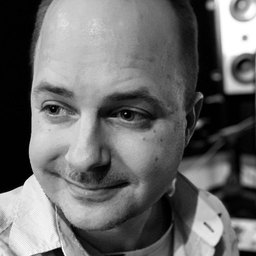
Ken Berglund
Multi-platinum producer & maker of Tape Sway

Try it
Try Tape Sway free for 14 days.
Every machine, every preset, nothing locked. The download lands in your inbox, and the trial starts with one click in the plugin.
On your phone? Leave your email. The download waits in your inbox for when you're at your computer.
Already have an account? Sign in
On Tape Sway
What it is
Tape Sway is a character plugin. It takes a sound that is too clean and gives it something: a wobble, an octave, some dirt, a tape echo, a spring, a drop on the beat. One knob, or all of them.
Underneath it is a tape machine. Everything you add runs through it, so it all sways together: the pitch shift, the repeats, the reverb. Each side of your track gets its own reel. Keep them together for one machine. Pull them apart and left and right sway on their own. That's the width.
And it has a transport. Stop the tape, drag it, spin it back, or draw a pattern of drops and let the sequencer play them every bar.
Push it and it stops being polite. Drive it, age it, destroy it, and each of the four machines falls apart in its own way.
Where to use it
Destroy a kick until it's all click and growl. Put a bass through it and see what's left. Drag a whole mix down into the drop.
Or go gentle. Pitch a vocal an octave and tuck it under the original. Bounce a snare on the tape echo. Put it on a guitar as a vibrato pedal, slow and wide or fast and tight. Put it after a long reverb and the tail sways. A touch of wobble on a piano, so it sounds played rather than programmed.
What's inside
Four tape machines. Three pitch engines. A tape echo, a spring reverb, a transport you can stop, drag and spin, and a Destroy knob for when it should sound wrong. Every part sways together.
Requirements
- macOS
- 10.13 or later, Intel and Apple Silicon. Open the disk image and run the installer.
- Windows
- 10 or later, 64-bit.
- Formats
- AU, VST3, CLAP.
- Internet
- A connection to activate or to start the trial. The installer does not need one.
- Latency
- None by default. PITCH adds 2048 samples (46 ms at 44.1 kHz) while it is on, TIGHT adds the wobble's 15 ms so the effect lands on the grid, LOOKAHEAD adds 250 ms. Your DAW compensates for all of it.
- Version
- v1.1.2. The manual covers the install and every control.
- License
- 3 activations. Buying creates your account, where the license and downloads live.
- Seller
- Swedish Sound Group AB, Gothenburg, the company behind Marlow. That is the name at the checkout and on your card statement, with MARLOW after it.